The other day on X I came across this post by @brainstormity about old Helium miners. Once mining stops making sense, what’s left inside is a small ARM board. I got curious, started looking through second-hand listings and bought one for €35, delivered.
Mine has a Rockchip RK3566 with its own eMMC. It’s not as powerful as a Pi 4, but it can still do stuff.
Getting a serial console
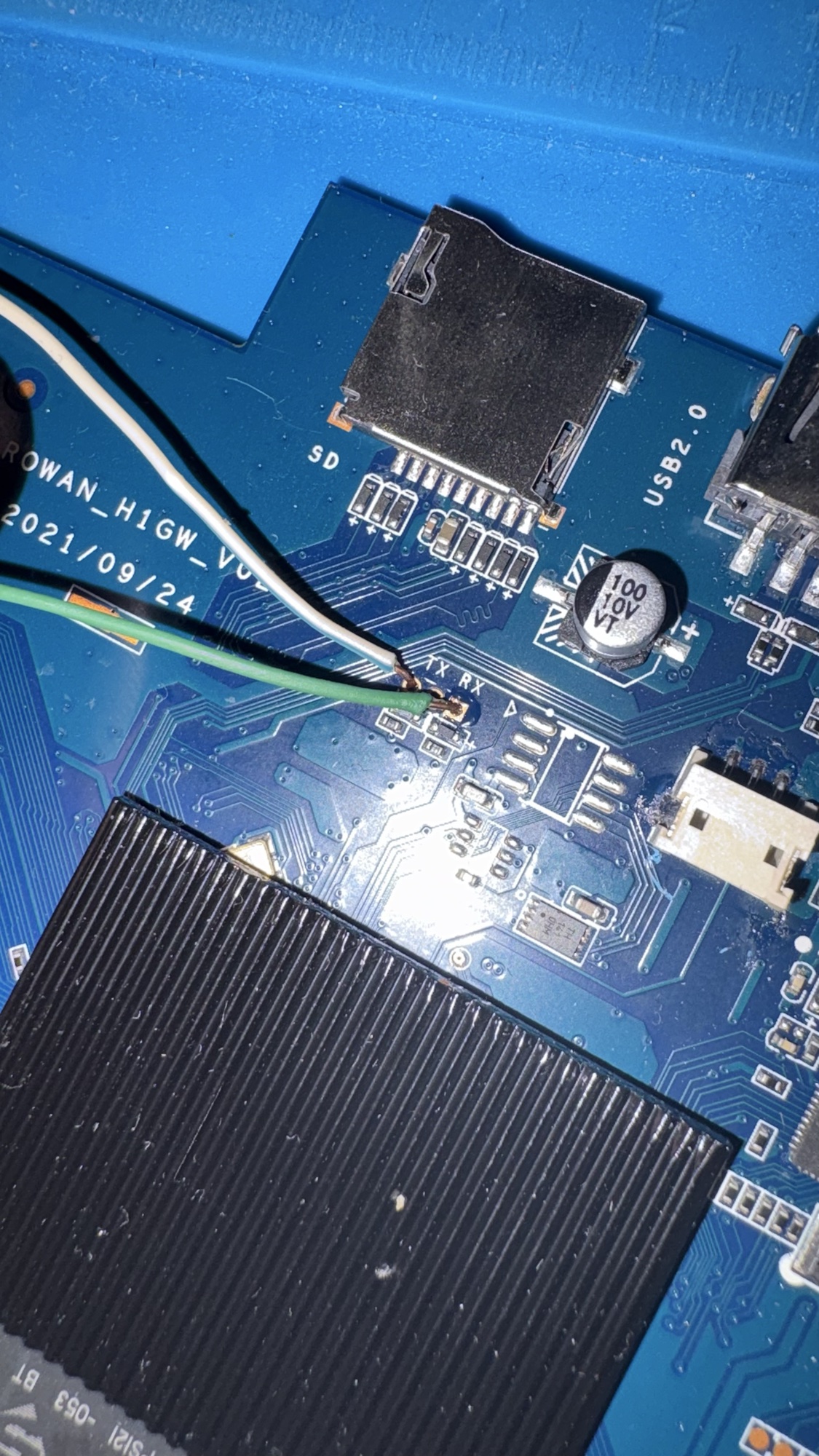
TX and RX are printed right next to the pads, so I attached wires there.
For the other end I grabbed a Raspberry Pi Pico, the first thing I found in the drawer. I figured MicroPython could make it handy for stuff like this. Codex wrote the bridge script: a small Python program on my Mac that loads a UART bridge into the Pico’s RAM over USB, forwards what I type to the miner and saves everything it prints. The console runs at 1,500,000 baud. The bridge only lives in RAM, so the Pico’s MicroPython firmware stays as it was.
The miner started talking. It was booting what it shipped with: U-Boot 2017.09, Linux 4.19.193 and Debian 10, with the root filesystem on the internal eMMC and Docker starting at the end. The screenshot is that first log replayed in my terminal later, with the build user and hostname redacted.

What’s on the SD card
There was also an SD card in it, and I expected the system to be there. It isn’t. The partition table says FAT32, the filesystem is actually exFAT, and it only holds the miner’s data. Everything that boots is on the eMMC.
Backing up everything first
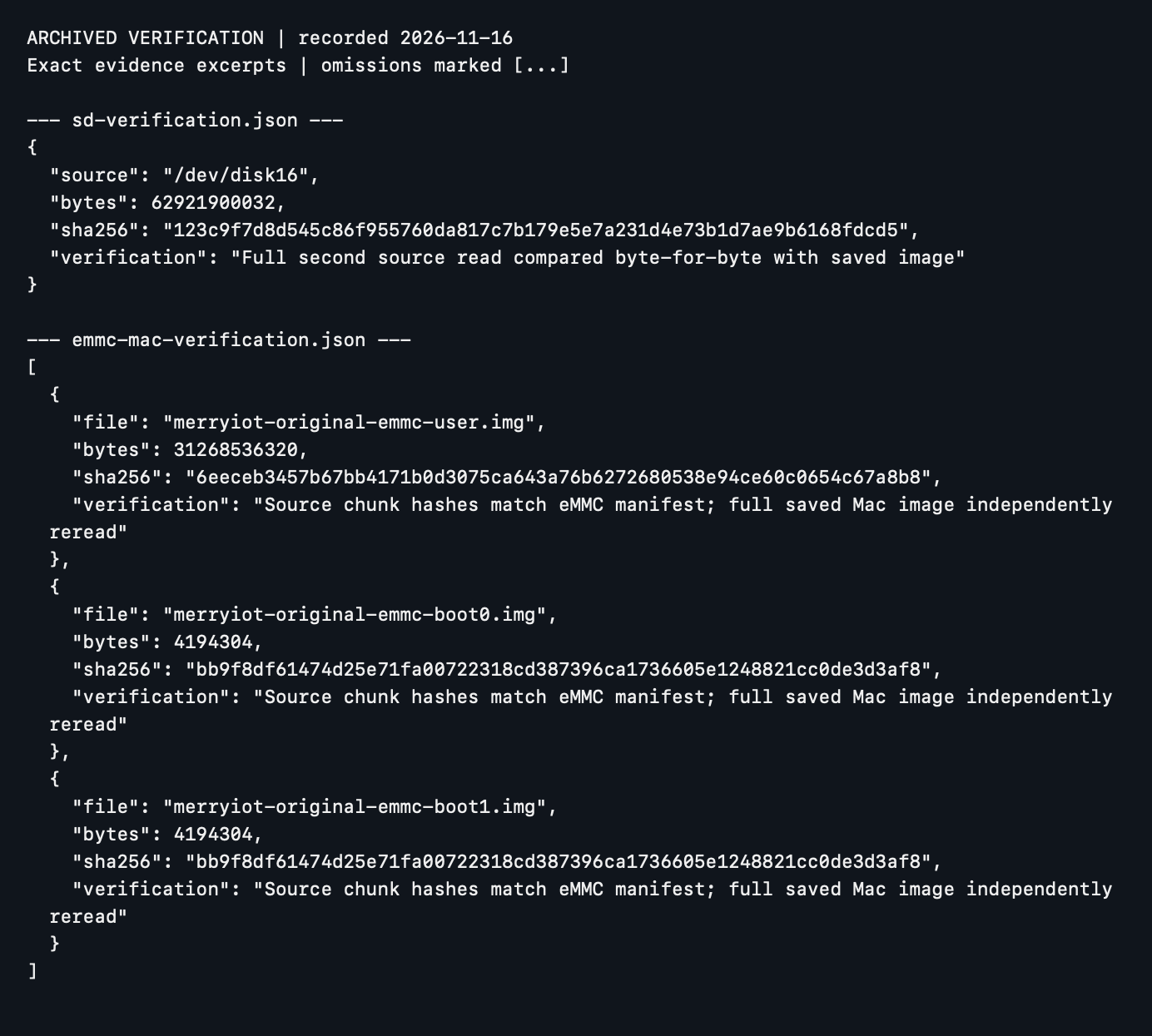
Before writing anything, I imaged all the storage on the board: the SD card, the main area of the eMMC and the two 4 MiB eMMC boot regions. The boot regions don’t show up as normal partitions, so they’re easy to forget, and they’re what you’d want back if something went wrong. I verified each image on my Mac after copying it.
The miner also has a secure element with its own keys. I didn’t try to extract those, so they aren’t in the backup.
Debian 13 from the SD card
For the new system I used the unofficial Armbian image that ophub builds for the Panther X2, which is based on Debian 13. I put it on the SD card first so the original install on the eMMC stayed untouched while I tried things.
The boot config set the serial console to ttyS02 instead of ttyS2. After fixing that, Debian 13 with kernel 6.18.63 came up from the SD card through the original U-Boot.
After one power cycle none of the LEDs came on. A second power cycle brought them back.
Moving to the eMMC
With the SD boot working and the backups verified, I gave the go-ahead to put Debian 13 on the eMMC. That needed the eMMC controller enabled in the device tree. I left the original factory loader and misc partition as they were.
While preparing the internal install I also fixed the fallback boot script. Its temporary load address overlapped a reserved hole in RAM, so I moved it to a region the measured RAM map shows as free.
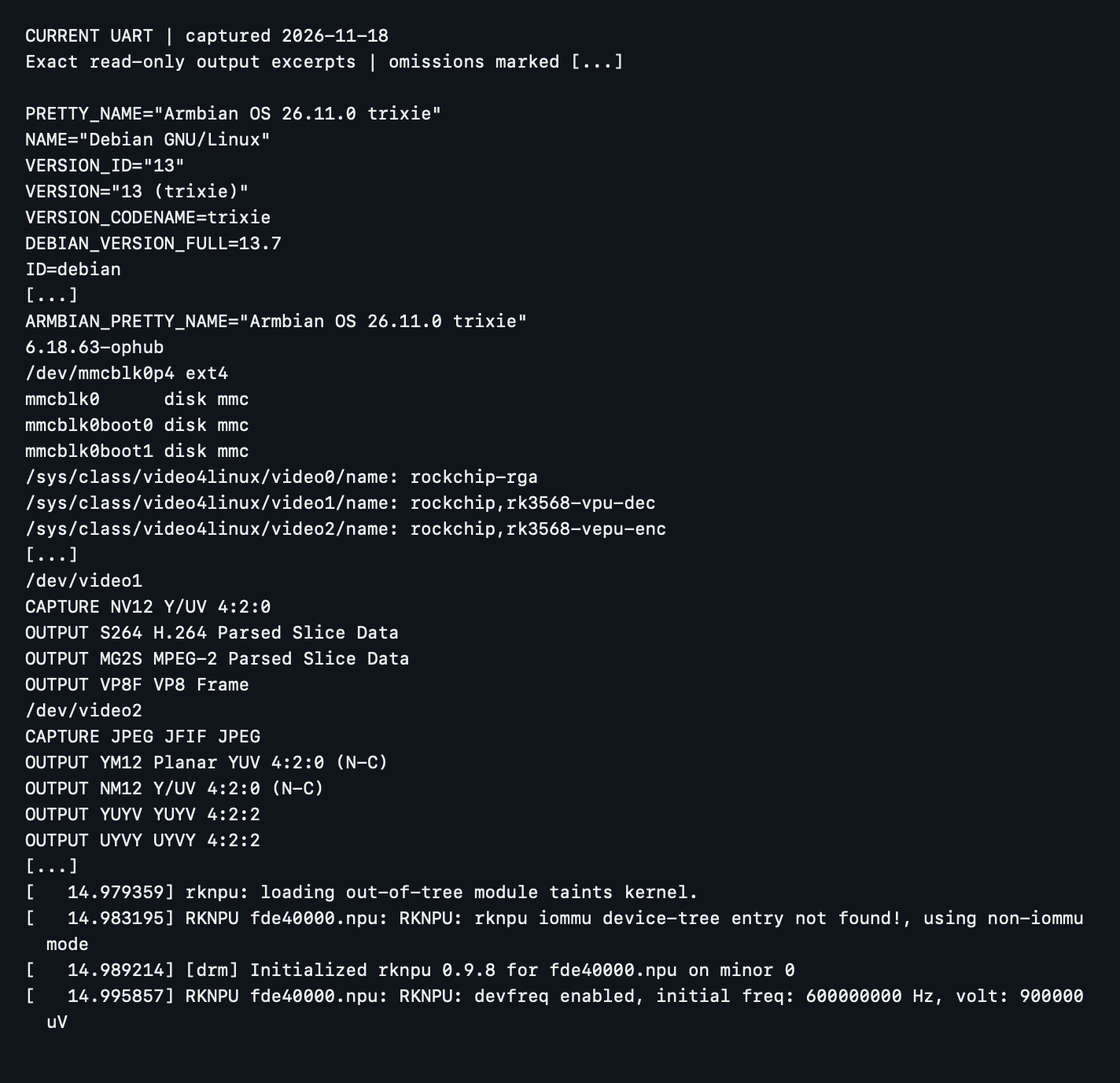
It took one recovery along the way. Now it cold boots from the eMMC with no SD card in, and SSH works. The boot log reports Armbian 26.11.0 (Debian 13 “trixie”) with kernel 6.18.63-ophub and root on the eMMC. A clean reboot through the Pico console also came back up from the eMMC.
I’ve only done this on my unit, so I wouldn’t call it a method for these boards.
What the chip does with this kernel
The RK3566 has an NPU and a hardware video block, so I checked what this kernel lets me use.
The NPU driver loads (rknpu 0.9.8, starting at 600 MHz) and the NPU passed the numerical test I ran. That test checks the results are correct, not how fast it is, so no YOLO numbers yet.
The video driver in this kernel decodes H.264, but the only encode format it offers is JPEG. That’s a limit of this driver, not evidence that the chip can’t encode H.264.
What it ended up doing
The miner is now part of the homelab, still running Debian 13 from its eMMC.
It’s a second Pi-hole. Every hour, Nebula Sync copies the configuration from my main Pi-hole to this one. To check the sync, I added a temporary DNS record on the main one, waited for a real sync to bring it over, then removed it. Both resolvers passed the local and upstream lookups and the blocking tests. I haven’t taken the main one down yet, so failover is untested.
It’s also a Tailscale subnet router, so I can reach the home network through it from outside. A small watchdog on it checks that the other machines are reachable and sends a heartbeat to a server outside the house; its alerting has only been tested with a simulated outage. The Beszel agent runs on it too, so it shows up in my monitoring with everything else.
Next I want to measure the NPU and see if another kernel or driver gives me a hardware H.264 encoder.
The notes and scripts are in merryiot-linux: my install notes and boot fixes, the Pico UART bridge adapted from the original script, and a script that checks backups offline. It’s what worked on my board, not an installer, and I haven’t retested the cleaned-up bridge on the hardware yet.